Which is better for rental condition records, a video walkthrough or still photos?
Video feels thorough and photos feel tedious, but they solve different problems. Here is what each format proves, where each one fails, and how to combine them without doubling your work.
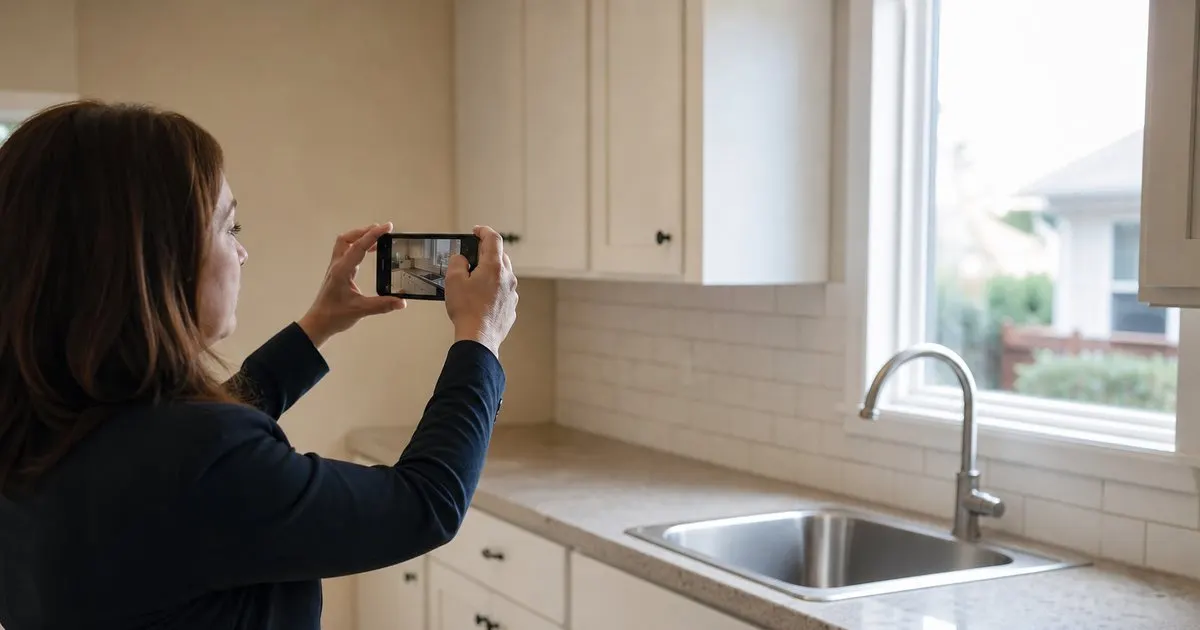
What a video walkthrough actually proves
A continuous video proves sequence and context. It shows that the kitchen you filmed is attached to the hallway you filmed, that nobody paused to stage a scene, and that the unit as a whole looked a certain way at a certain time. For a tenant who later claims the entire apartment was filthy at move-in, a fifteen-minute unbroken walk through clean rooms is hard to argue with. Video also captures things stills miss: a door that sticks, a faucet that drips, a floorboard that creaks, a fan that wobbles. Related: What should a move-out inspection checklist include for a typical rental apartment?
Where video fails is retrieval and detail. Nine months later, when you need to show the condition of the bathroom baseboard behind the door, you will be scrubbing through footage looking for a two-second pan that may be blurry, badly lit, or pointed slightly the wrong way. Video also tends to be shot too fast. Walking speed is fine for context but far too quick for the surfaces that actually produce deposit disputes: carpets, countertops, walls at hip height, and the inside of appliances. Related: Why do timestamped move-in photos protect landlords during security deposit disputes?
Keep reading: Why do timestamped move-in photos protect landlords during security deposit disputes?, How should landlords document rental condition room by room before a tenant moves in?, What should a move-out inspection checklist include for a typical rental apartment?. See how MoveInSnap helps you move-in and move-out inspection photo logs.
What still photos actually prove
A still photo proves the condition of one specific thing at one specific moment, with enough resolution to see a hairline scratch or a small stain. Each image carries its own timestamp and, on most phones, location data. When photos are labeled by room and item, they become searchable: bedroom two, closet door, interior, move-in. That is the format a judge, mediator, or insurance adjuster can use without watching a movie, and it is the format that lets you put a move-in image next to a move-out image of the same spot. Related: How should landlords document rental condition room by room before a tenant moves in?
Photos fail when they are sparse or unlabeled. Forty images of a two-bedroom unit dumped into a phone's camera roll are not a condition record; they are a puzzle. A photo log also cannot show motion, sound, or function, so a dripping faucet or a rattling window needs a written note or a short clip. And because each frame is isolated, a tenant can argue that a damaged spot was simply never photographed. Coverage matters more with stills than with video.
Why most experienced landlords use both, in a specific order
The practical answer is a short video for context and a full photo log for evidence. Start with a single slow walkthrough of the whole unit, narrating the date, the address, and the unit number out loud at the start. Keep it to a few minutes per room. Then go back and shoot stills systematically: four walls, floor, ceiling, every door and window, every fixture, every appliance inside and out, and a close-up of every defect you notice. The video answers "what was the place like," and the photos answer "what did this exact spot look like."
The order matters because doing the stills first tends to make people skip the video, and doing the video last tends to make it sloppy. It also helps to shoot the video before any staging, cleaning touch-ups, or furniture placement, while the stills can be taken as you fix small things and note what you fixed. Keep the two together in one record for the unit so nobody has to hunt across a camera roll and a cloud drive to assemble the evidence.
Storage, sharing, and what happens at move-out
Video files are large, and a decade of walkthroughs across even a handful of units adds up fast. Photos are small enough to keep forever and easy to attach to an email or a deduction letter. If you are choosing where to invest effort, the photo log is what you will actually use at move-out, when you need to compare specific spots. We designed MoveInSnap to organize stills by room and item for exactly this reason, and to accept short clips as attachments for the handful of things that only motion can show. Related: How do landlords compare move-in and move-out photos to prove real damage?
At move-out, repeat the same order: a short context video, then stills of every spot you photographed at move-in, framed the same way. Side-by-side comparison is where the still format earns its keep. Two images of the same countertop, same angle, eleven months apart, tell the whole story in a glance. A video would require you to find the matching moments in two separate files and hope the lighting cooperates.
- Video proves sequence and context and captures motion and sound; photos prove specific spots in detail.
- Video is hard to search and often shot too fast to show the surfaces that cause disputes.
- Shoot a short narrated video first, then a systematic photo log of every wall, fixture, and defect.
- Photos are what you will actually compare at move-out, so invest most of your effort there.

Julien Jimenez
Julien Jimenez is an independent software builder based in Paris. He designs, ships, and operates focused SaaS products for small businesses and independent professionals. Read the full author page.
Prove condition with dated photos
Move-in and move-out inspection photo logs. MoveInSnap is built to help you put this into practice.
Start freeMore from the MoveInSnap blog
Why do timestamped move-in photos protect landlords during security deposit disputes?
How should landlords document rental condition room by room before a tenant moves in?
What should a move-out inspection checklist include for a typical rental apartment?
Get the MoveInSnap playbook
Practical guides on move-in and move-out inspections, straight to your inbox as we publish them. No spam, unsubscribe any time.